
Every 3D artist hits the same fork in the road eventually. You have a deadline, a client who wants twelve revisions, and a scene that looks glorious in the viewport but takes four hours a frame in the render queue. So the question comes up: real time rendering vs offline rendering, which pipeline actually fits this job?
Most articles answer that with a vague “offline is prettier, real-time is faster” and leave you exactly where you started. This guide goes further. Below you will find the technical differences that matter, realistic frame-time numbers, a hardware cost breakdown, and a decision framework that tells you which pipeline to pick for product shots, game cinematics, archviz and client animation.
Short answer first
Use real-time rendering when iteration speed, interactivity or volume matters more than the last 10% of photorealism. Think configurators, walkthroughs, game cinematics, social content, and any project with heavy client revision cycles.
Use offline path tracing when the image is the product and light behaviour has to be physically correct: hero product stills, jewellery, automotive, liquids and glass, VFX integration, broadcast commercials, and anything that will be printed at A0 or projected at cinema scale.
Everything else is a hybrid, and honestly, in 2026 most professional pipelines are hybrids. More on that further down.

What is real-time rendering?
Real-time rendering produces images fast enough to be generated on the fly, typically 30 to 120 frames per second. The classic approach is rasterization: geometry is projected onto the screen, and lighting is solved with approximations such as shadow maps, screen space reflections, ambient occlusion and baked or probe-based global illumination. This is where hiring a real photography and design studio pays for itself.
The modern generation of engines blurs that definition. Unreal Engine’s Lumen does dynamic global illumination with software or hardware ray tracing. Nanite handles absurd polygon counts. Blender’s Eevee (the rewritten version shipped from Blender 4.2 onward) added proper ray-traced reflections, shadows and screen-space GI. Unity’s HDRP, Godot 4, D5 Render, Enscape, Twinmotion and Chaos Vantage all sit in this camp.
The key trait is not that these engines never trace rays. It is that they budget their compute per frame. When the budget runs out, the engine approximates. juce.com makes the same point with more data.
Typical real-time engines
- Unreal Engine 5.x with Lumen, Nanite, Virtual Shadow Maps and Movie Render Graph
- Blender Eevee (Next architecture) for stylised and semi-realistic work
- Unity HDRP for interactive and XR deliverables
- D5 Render, Enscape, Twinmotion, Lumion for architecture
- Chaos Vantage as a real-time layer on top of V-Ray scenes
What is offline rendering?
Offline rendering (also called pre-rendering) removes the time constraint. The renderer simulates light transport by firing many rays per pixel, bouncing them through the scene, and averaging the results. That is path tracing, and given enough samples it converges toward a physically accurate result.
Because there is no frame budget, the renderer can afford things real-time engines still struggle with: accurate caustics, multi-bounce interior GI, thick volumetrics, proper subsurface scattering, spectral dispersion, and true depth of field and motion blur rather than post-process fakes.
Typical offline renderers
- Cycles (Blender), GPU or CPU, free and increasingly fast
- Arnold (Autodesk), the VFX and animation workhorse known for stability with huge scenes
- Redshift (Maxon), biased and GPU-first, built for speed in commercial production
- V-Ray and Corona (Chaos), dominant in archviz and product
- Karma (SideFX), RenderMan (Pixar), Octane (OTOY)

Real time rendering vs offline rendering: side by side
| Criterion | Real-time (Eevee, Unreal, D5) | Offline (Cycles, Arnold, Redshift, V-Ray) |
|---|---|---|
| Core method | Rasterization plus partial ray tracing | Path tracing / full light transport simulation |
| Frame time | Milliseconds to a few seconds | Minutes to hours |
| Global illumination | Approximated, limited bounces, screen-space limitations | Physically accurate, many bounces, energy conserving |
| Reflections | Off-screen data can be missing or faked by probes | Correct, including interreflections and rough glossy |
| Caustics and dispersion | Weak or unavailable, usually cheated with textures | Supported natively, essential for glass and liquids |
| Main artefact | Ghosting, temporal smearing, flicker, light leaks | Noise, fireflies, denoiser smudging |
| Iteration loop | Instant, lighting changes are visible while you drag | Slow, viewport preview only partially representative |
| VRAM dependency | High, scene must fit and stream in real time | High on GPU engines, flexible on CPU engines |
| Interactive delivery | Yes: configurators, VR, web, real-time apps | No, output is fixed frames |
| Setup cost | Higher up front (optimisation, LODs, lightmaps, shaders) | Lower up front, cost shifts to render hours |
Render times: realistic frame examples
Numbers beat adjectives. The table below reflects what we typically see on a single modern high-end GPU workstation (think one RTX 4090 or 5090 class card, 32 GB system RAM minimum) at production quality with denoising enabled. Your mileage varies with scene complexity, but the orders of magnitude hold.
| Scene type | Real-time (per frame) | Offline path traced (per frame) |
|---|---|---|
| Studio product shot, 4K, plastic and metal | 1 to 4 seconds | 3 to 10 minutes |
| Product shot with glass, liquid, caustics, 4K | Not convincing without cheats | 15 to 60 minutes |
| Archviz interior, daylight GI, 4K | 5 to 25 seconds (Movie Render Graph quality) | 10 to 45 minutes |
| Archviz exterior, vegetation, 4K | 4 to 15 seconds | 8 to 30 minutes |
| Game cinematic, 1080p to 2K, heavy assets | 2 to 12 seconds | 20 to 90 minutes |
| Character close-up, hair, SSS skin, 2K | 3 to 10 seconds | 5 to 25 minutes |
| VFX shot, volumetrics and simulation, 2K | Usually impractical | 1 to 6 hours |
What that means for an animation
Take a modest 20 second client animation at 25 fps, so 500 frames:
- Unreal at 8 seconds per frame: roughly 1 hour 10 minutes on one machine. You can re-render the whole thing over lunch after a note comes in.
- Cycles or Redshift at 6 minutes per frame: 50 hours on one machine. Two full days, or a render farm invoice.
- Arnold at 25 minutes per frame: 208 hours. That is a farm job, full stop.
Now multiply by the number of revision rounds. This is the real cost difference, and it is why the revision count is often a better pipeline selector than the quality bar.
Lighting accuracy: where rasterization still fakes it
Real-time engines have closed a lot of the gap, but the remaining differences are predictable rather than random. Expect real-time to struggle with:
- Off-screen contribution. Screen-space techniques only know about what the camera sees. Pull a reflective object to frame edge and the reflection changes.
- Caustics. Light focused through glass, water or a gemstone. Offline solves it, real-time paints it.
- Many-bounce interiors. A north-facing room lit by one window is the classic stress test. Real-time GI tends to lose energy and flatten depth in the darkest corners.
- Dense volumetrics. Real fog and smoke with correct scattering and self-shadowing remain expensive.
- Emissive surfaces as key lights. A neon sign lighting a whole scene is trivial for a path tracer and fiddly in a raster engine.
- Thin-film, dispersion, spectral effects. Still mostly an offline domain.
Where real-time genuinely wins: predictability at scale. A path tracer will give you a beautiful frame and then, 300 frames later, a firefly in a moving reflection. Real-time gives you a slightly less accurate frame, but the same slightly less accurate frame every single time.
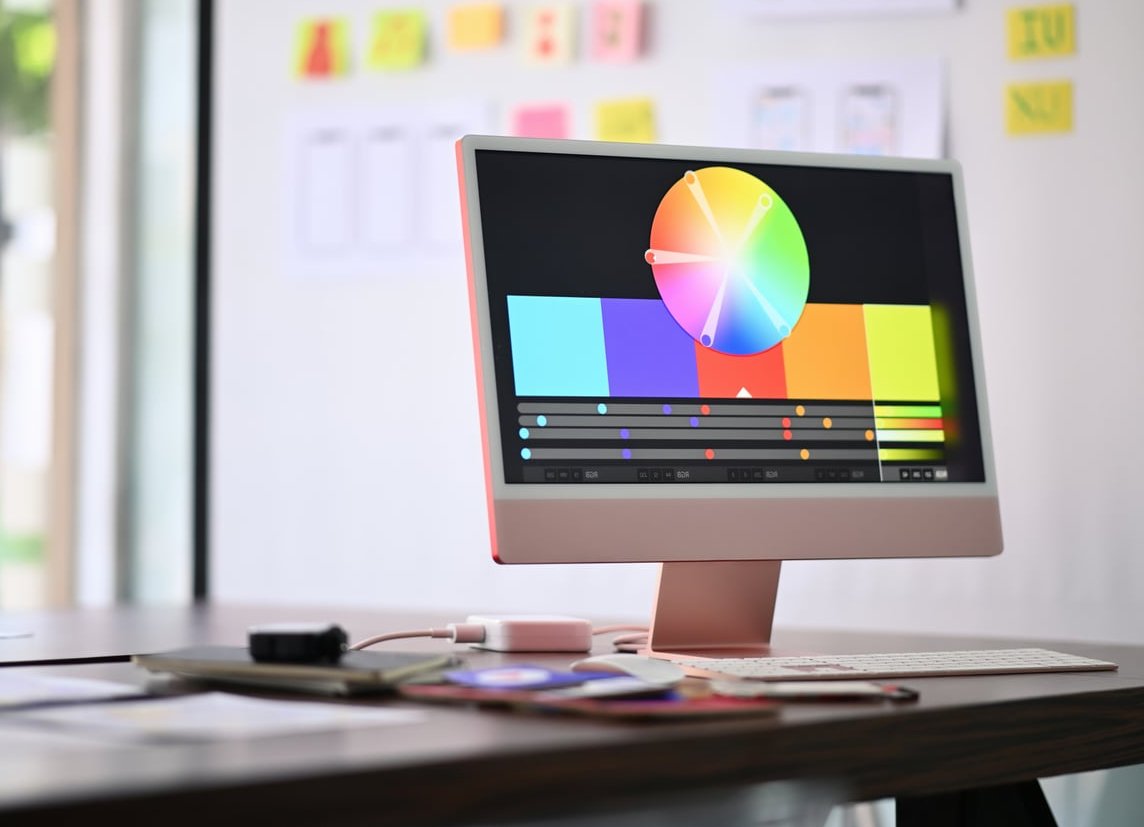
Noise handling: samples versus temporal artefacts
The offline problem: noise and denoiser trade-offs
Path tracing noise falls off roughly with the square root of sample count, which is a brutal curve. Halving noise costs about four times the samples. Denoisers (OptiX, OIDN, Altus) are excellent today and have cut render budgets massively, but they introduce their own risks:
- Loss of fine detail in fabric weave, film grain and micro-displacement
- Temporal flicker when denoising each frame independently (use temporal or multi-frame denoising)
- Smearing around hair, foliage and motion blur edges
The real-time problem: temporal accumulation
Real-time engines reuse information from previous frames through TAA, TSR, DLSS or FSR. That buys clean images cheaply, but the failure modes are ghosting behind moving objects, shimmer on thin geometry, and a smeared look on fast camera moves. For final-frame output, the fix is to render through something like Unreal’s Movie Render Graph with high temporal sample counts and warm-up frames, which raises frame time to seconds but kills most artefacts.
Rule of thumb: offline noise gets better by throwing hardware at it. Real-time artefacts get better by tuning settings and animation choices. One is a budget problem, the other is a craft problem.
Hardware and cost: the part nobody budgets for
| Cost item | Real-time pipeline | Offline pipeline |
|---|---|---|
| Workstation GPU | One strong GPU, 16 to 24 GB VRAM is the practical floor | One to four GPUs, VRAM is the hard ceiling for scene size |
| Scaling strategy | Scales poorly across machines, one strong box beats four weak ones | Scales almost linearly, perfect for farms and cloud bursts |
| Render farm spend | Rarely needed | Frequently the largest line item on animation jobs |
| Software licensing | Unreal free for non-game revenue under threshold, Eevee free, D5 and Enscape subscription | Cycles free, Redshift / V-Ray / Arnold on subscription per seat |
| Labour cost | Higher optimisation and setup time, lower supervision time | Faster setup, more time babysitting renders and fixing failed frames |
| Energy and heat | Low, short bursts | Significant on long animation jobs |
One cost trap worth naming: real-time is cheap per frame but expensive per asset. Retopology, LODs, texture atlasing, shader conversion and lightmap UVs all take hours that a path tracer would never ask of you. For a one-off still, that prep can cost more than just letting Cycles chew on it overnight.
The decision framework: pick your pipeline by project type
1. Hero product stills and packshots
Go offline. Cycles, Redshift, V-Ray or Corona. The client will zoom in. Liquids, glass, chrome, embossed foil and label varnish all depend on accurate light transport, and you are only rendering a handful of frames, so the time cost is trivial. Real-time is still useful here as a layout and lighting blocking tool before you commit to final frames.
2. Product configurators, e-commerce and interactive web 3D
Go real-time, no debate. The deliverable is interactivity. Use baked or hybrid lighting, optimise your meshes, and if you need marketing hero images from the same asset, render those separately in the offline engine.
3. Game cinematics and trailers
Go real-time (Unreal), with offline as a targeted exception. You already have the game assets, the engine, and the shading. Movie Render Graph at high temporal sample counts closes most of the quality gap. Break out to a path tracer only for specific hero shots with heavy refraction or complex volumetrics. Anyone digging further should read Real-Time vs Traditional Rendering for Architects Guide.
4. Architectural visualisation
This one splits by deliverable:
- Competition boards and print stills: offline (Corona, V-Ray, Cycles). Print resolution and jury scrutiny reward accuracy.
- Client walkthroughs, VR reviews, design iteration: real-time (Unreal, D5, Enscape, Twinmotion). Being able to change a material live in a client meeting is worth more than a marginally better bounce light.
- Long animated flythroughs: real-time almost always, because 2000 frames at offline quality is a farm invoice your margin will not survive.
5. Client animation and commercial work
Decide using revision risk:
- Locked storyboard, approved lighting, one or two rounds of notes, quality is the selling point: offline.
- Loose brief, marketing stakeholders, more than three rounds expected, tight deadline: real-time, and tell the client you can turn changes around same day.
- Multiple aspect ratios and language versions of the same animation: real-time, because you will re-render the whole thing several times.
6. VFX and film integration
Offline. Deep compositing, AOV control, cryptomattes, motion vectors, physically correct integration with plates and strict colour pipelines still favour Arnold, Karma, RenderMan and V-Ray. Real-time engines are widely used for previs, techvis and virtual production LED walls, which is a different job entirely.

Hybrid pipelines: what most studios actually do
The real-time versus offline framing is a bit dated in practice. The workflow we see most often in 2026 looks like this:
- Block and light in real time. Eevee or Unreal for camera, composition and lighting decisions, because instant feedback produces better creative choices.
- Review with the client in real time. Turntables, walkthroughs and animatics rendered in minutes, not overnight.
- Final render where it counts. Hero shots in Cycles, Redshift or V-Ray. Everything else stays in the real-time engine.
- Unify in comp. Match grain, grade and lens treatment in Nuke, Fusion or After Effects so the two sources sit together.
- Use the built-in path tracers. Unreal has a path tracer, Eevee sits next to Cycles in the same file. Switching engines no longer means rebuilding the scene from zero, which is the single biggest workflow gain of the last few years.
Quick checklist before you commit
- How many final frames does this job deliver? Under 20 favours offline, over 500 favours real-time.
- How many revision rounds are realistic? Three or more pushes hard toward real-time.
- Does the shot contain glass, liquid, caustics or dense volumetrics? If yes, offline for those shots.
- Is the deliverable interactive in any way? Real-time, automatically.
- What is the viewing size? Large-format print and cinema reward offline detail.
- Do you have farm budget? No farm plus offline plus animation equals a missed deadline.
- Can the scene fit in VRAM? If not, CPU offline rendering or out-of-core GPU support may be the only option.
FAQ
Which render engine is best?
There is no universal best. For free and versatile, Cycles is hard to beat. For fast GPU commercial work, Redshift. For huge VFX scenes and stability, Arnold. For archviz interiors, Corona and V-Ray. For real-time and cinematics, Unreal Engine. Pick by deliverable and by which software your team already knows, because familiarity beats raw benchmark scores on every real deadline.
What is real-time rendering?
Real-time rendering generates images fast enough for interactive use, typically 30 to 120 frames per second. It relies on rasterization plus approximations such as probes, screen-space effects and temporal accumulation, with some ray tracing layered on modern hardware. The image is computed within a fixed per-frame time budget.
What are the two types of rendering?
The two broad categories are real-time rendering (interactive, used in games, configurators and virtual production) and offline or pre-rendering (non-interactive, used in film, VFX, advertising and high-end visualisation). Some people split it differently as rasterization versus ray tracing, but that describes the technique rather than the use case.
Is CPU rendering better than GPU?
GPU rendering is usually far faster per euro spent and now dominates commercial production. CPU rendering still wins when a scene exceeds available VRAM, when you need very large textures or displacement, when specific renderer features are CPU-only, or when render farm pricing favours CPU nodes. Many engines including Cycles and Arnold support hybrid CPU plus GPU rendering, which is often the practical answer. There’s a good explainer over at babylonjs.com.
Can real-time rendering replace offline rendering completely?
Not yet, and probably not entirely. The gap keeps narrowing for diffuse-heavy scenes, and for a lot of commercial work the difference is already invisible to clients. But caustics, complex refraction, dense volumetrics and strict VFX integration still belong to path tracers. The realistic outcome is not replacement but a stable division of labour.
How much faster is real-time rendering than offline?
Typically 50 to 500 times faster per frame at comparable output resolution, depending on scene complexity. A frame that takes 10 minutes in a path tracer often takes 2 to 10 seconds through a real-time engine’s high-quality movie render pipeline.
Final thought
The best pipeline is the one that gets an approved image in front of your client with your margin intact. Treat real time rendering vs offline rendering as a per-shot decision, not a studio identity. Block in real time, finish where accuracy pays, and let the frame count and the revision count make the call for you.
At Pixel Pastry we run both pipelines side by side and pick per project. If you are unsure which route fits your next product launch, cinematic or archviz package, get in touch and we will map it out with you.